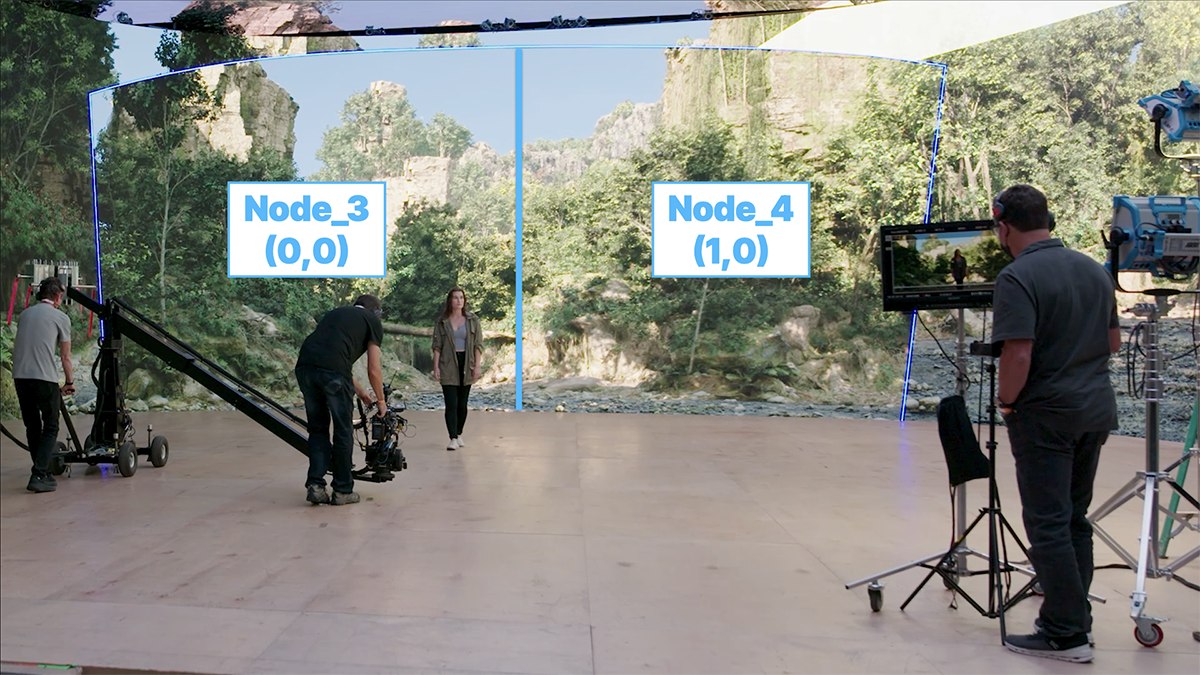
The test shoot that made the handoff visible
Epic and Bullitt’s 2021 production test is a useful lesson in stage preparation—not a promise that every shoot can finish in four days.
VIRTUAL PRODUCTION / FROM BRIEF TO FINAL FRAME
A plain-language guide to choosing the right mix of cameras, screens, software, people, and prep — from a phone in a spare room to a fully tracked LED volume.
On the stage / behind the image

The working library
20 new production guides, 12 developed field guides and case studies, and 100 preserved archive records. Start with the decision in front of your department.
What must be settled before you book the stage?
02 / 22 piecesWill the image hold through the actual camera move?
03 / 24 piecesCan the crew restore the approved setup?
04 / 23 piecesWhat does the target configuration actually have to render?
05 / 19 piecesCould another department reconstruct this take?
06 / 16 piecesWhat problem did this production actually solve?
Epic and Bullitt’s 2021 production test is a useful lesson in stage preparation—not a promise that every shoot can finish in four days.
A tracker tells you where a camera is. It does not, by itself, describe the image formed by its lens.
Mold3D’s animated short makes a useful distinction: real-time iteration and final delivery are related, but they are not the same job.
Work from the shot toward the booking. Each step produces an artifact you can discuss with a stage or department lead.
Follow the six-step path →Separate geometry, timing, sampling, and color. A good static frame does not certify a moving shot.
Follow the six-step path →Preserve decisions while moving from exploration to a named production state and a repeatable output.
Follow the six-step path →Use the method triage, frame-time calculator, and stage discussion checklist. They expose assumptions; they do not certify a stage or replace a test.
Virtual production moves some of the visual work out of an opaque post-production queue and into a shared, visible process: previs, environment design, tracking, lighting, real-time rendering, and capture.
That can make a difficult shot more steerable. It can also move risk forward. If the lens, color, parallax, or environment is wrong on the day, the volume does not rescue the scene — it reveals the problem sooner.
Read every number with its label. [VERIFIED] is confirmed by a primary source. [VENDOR] is a promotional or manufacturer claim. [ESTIMATE] is a planning range. [ANALYSIS] is our judgment.
A budget is not a production plan. Use this quick read to locate the workflow that matches your real constraint.
Use a phone or consumer camera, a DIY green screen, practical lighting, OBS or a lightweight compositor, and Blender or Unreal for backgrounds. Spend your first dollar on clean light and repeatable camera movement.
Phone or webcam, DIY chroma, a capable workstation, and a shot design that respects your room.
Rent the wall or projector. Build only the environment that earns its place in the shot.
Large LED, render cluster, calibration, genlock, technical direction, and a virtual art department.
“Virtual production” covers several different techniques. The right one depends on reflections, camera travel, turnaround, and how much of the world must remain editable.
Tracked camera data drives a real-time scene on LED. The wall gives the subject interactive light, reflections, and a live background — within the tracked frustum.
ILM StageCraft ↗Capture the performer against a controlled key color and composite later. The cheapest route to scale, and the most flexible when the environment will keep changing.
See the pipeline ↘Project a backplate or environment onto a surface. Useful for reflections, mood, and small stages when you need some in-camera context without a full LED ecosystem.
Price the fork ↘Key, track, render, and preview the composite live. This can use a modest camera and software stack; it does not require an LED wall to be virtual production.
Find a stack ↘
On a green stage, the production team is still real — the background is the part that moves later.
Follow the handoff ↘VFX is the wider craft of changing images. Motion capture records performance. VR / AR describes how a participant experiences a world. CGI describes computer-generated imagery. Virtual production is the production system that connects some of those pieces earlier, often in real time.
A strong VP workflow is a chain of decisions. Break one link and the wall becomes an expensive backdrop.
What must be real? What can stay digital? Lock the creative question before the gear list.
Test blocking, lensing, camera travel, and sightlines before the stage day.
Choose a bespoke 3D scene, a plate library, a scan, or a hybrid. This is now a real budget fork.
Match lens, tracking, LED color, render perspective, frame sync, and lighting — together.
Walk the camera path. Check drift, latency, reflections, focus, exposure, and actor marks.
Record plates, tracking, lens metadata, scene versions, and the decisions that make the shot recoverable.
Grade, clean up, replace, or extend what the in-camera image could not solve.
Log what worked. Reusable environments and clean metadata compound across the next project.
The real question is utilization: how often will you shoot, how reusable is the world, and who is qualified to keep the system honest?
| Workflow | Planning range | Where the money goes | When it makes sense |
|---|---|---|---|
| DIY homephone / webcam | $1k–$5k | Camera, lights, DIY key, workstation, software, time. | Learning, social, tabletop, controlled shots. |
| Small green screenconsumer / prosumer | $5k–$25k | Camera, cyc, light control, keying, cleanup, post. | Flexible backgrounds, low capex, changing worlds. |
| Projector stagesmall room | $10k–$40k | 4K projector(s), screen, playback, tracking, blackout. | Reflections, tests, interviews, practical light. |
| Prosumer LEDown or pop-up | $40k–$150k | Small wall, processor, tracking, workstation, lights. | Repeatable commercial or creator work with a trained operator. |
| Indie LED shootrental / 5 days | $50k–$195k | Stage, wall, crew, environment, camera, calibration, post. | Driving, travel, multi-location campaigns, weather-heavy scenes. |
| Permanent volumestage build | $200k–$1m+ | Structure, LED, processing, render, cooling, power, people. | Only when utilization and clients are already believable. |
Rent below roughly 15–20 utilized days per month; own only when the calendar, maintenance, and operator bench can carry the fixed cost. [ANALYSIS]
Licensed plates can start around hundreds of dollars; bespoke 3D worlds can reach tens of thousands. Reusability, not novelty, makes the build path pay. [ESTIMATE]
LED buys interactive light, reflections, and on-set confidence. Green buys flexibility and lower capex. Neither removes post-production entirely.
Tools are not interchangeable just because they appear in the same pipeline. Start with the output and the operator you actually have.
Phone or webcam · Blender · OBS · DaVinci Resolve · practical LED or green. Prioritize repeatable blocking over perfect tracking.
Professional camera · VIVE Mars CamTrack ($5,000 list) · Blender or Unreal · Resolve. Rent the wall before buying the wall.
VIVE price check ↗Unreal · OpenTrackIO · OpenVPCal · media server · calibrated LED or projection · VP supervisor. Build a versioned handoff between art and stage.
Render cluster · LED processing · tracking + lens metadata · genlock / timecode · color pipeline · network redundancy · data capture.
Start with Epic’s field guides for shared language, then move into the current documentation when the shot becomes a real system.
The foundational primer: previs, techvis, postvis, live compositing, in-camera VFX, and the roles that make a real-time pipeline work.
Read Volume 1 ↗The sequel extends the primer into remote collaboration, visualization, in-camera VFX, animation, and case studies from working teams.
A branch of the Unreal story for review, layout, design, and real-time animation workflows across studios. Useful for episodic world-building and animated production.
Read the Animation Guide ↗The current ICVFX Quick Start bridges reading and rehearsal: Example project, nDisplay, Switchboard, Multi-User Editing, Live Link, and an on-stage launch.


Read Volume 1 for the vocabulary, Volume 2 for the production patterns, then use the current docs to build one tiny rehearsal: one environment, one tracked camera, one repeatable take.
The field is becoming less about isolated demos and more about interoperable, documented pipelines.
SMPTE’s open protocol describes camera pose, lens modeling, and related metadata so tracking systems and render engines can speak more clearly.
Read the docs ↗Netflix’s open-source calibration tool uses the production camera as a colorimeter and exports color transforms for the LED pipeline.
See the repository ↗OpenUSD v26.03 added a first-class schema for 3D Gaussian Splats, lowering friction between captured environments and standard scene graphs.
Read the release ↗Sony Pictures said Pixomondo would be wound down after outstanding contracts, with Clara also winding down and capabilities moving elsewhere. A reminder that “industry adoption” is not the same as durable business.
Coverage ↗Treat AI as a production component with a version, a license, and a human owner — not as a magic button.
Asset search, roto, cleanup, texture drafts, concept frames, motion cleanup, transcription, and rough previs are useful because a human can inspect and revert the result.
AI 3D assets, synthetic locations, digital humans, automated previs, and splat-based capture are moving quickly. Track provenance, consent, licenses, and continuity across shots.
Fully generated, photoreal interactive environments that preserve identity, physics, camera intent, and editability across a sequence remain experimental. [ANALYSIS]
A reliable stage is a creative advantage. Name the problem early enough that the shot still has options.
Recalibrate, watch the frustum, and capture the metadata. A one-frame slip can become a whole-shot problem.
Pixel pitch, camera distance, focus, shutter, refresh, and angle all matter. Test the actual camera and lens.
Calibrate with the production camera where possible. OpenVPCal exists because “looks fine to the eye” is not a color pipeline.
Use qualified rigging and electrical support. Budget heat, cooling, network redundancy, insurance, accessibility, and trained operators.
This site is a research snapshot, not a quote sheet. Prices, licenses, product versions, and company status can change after publication.